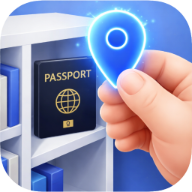
Picture this: it's the night before a flight and you need your passport. You check the drawer where you always keep it. It's not there. You try the filing cabinet. Still nothing. You start checking coat pockets, old bags, the junk drawer. Twenty minutes later, your stress is at the ceiling and you still haven't found it.
This happens to almost everyone at some point - and not just with passports. Car insurance cards, birth certificates, vaccination records, lease agreements. The problem usually isn't that people are disorganized. It's that there's no system. Documents get stored wherever makes sense at the time, and that logic evaporates by the time you need them again.
By the end of this post, you'll have a simple, phone-based system for digital document storage at home - one that takes under 10 minutes to set up, works for your whole family, and means you'll never search for an important document again. If you also want a guide to the physical side of things, we covered that in How to Organize Important Documents at Home.
Why Most People Struggle to Find Their Documents
Before building a better system, it's worth understanding why the current one fails. There are three patterns that come up almost every time.
Stored everywhere with no logic
Passport in one drawer, insurance card in another, lease in a box in the wardrobe. Each decision made sense at the time. Together they form a maze.
Memory drift
You remember storing it, but not exactly where. "I'm sure it's in that drawer" - except it isn't, and now you're not sure of anything.
Family members move things
Someone needed the car insurance last month and put it back somewhere else. Your mental map no longer matches reality.
What these three problems have in common: they're all memory problems. The solution isn't to have a better memory - it's to build a system that doesn't rely on memory at all.
The Simplest System: One Photo, One Location
Here's the core idea behind personal digital document storage, and it's simpler than any spreadsheet or folder system you've tried before.
When you photograph a document, photograph it in its location. Not on a flat desk. In the actual drawer, box, or shelf where it lives. That single photo contains two pieces of information: what the document is, and exactly where it's stored.
Why this works
A text label says "Passport - bedroom drawer." A photo shows you the passport inside the bedroom drawer, with the other things around it. That visual context is what your brain actually uses to remember where things are.
It takes the same amount of time as a regular photo, and gives you a visual memory that doesn't fade. Six months later, you'll open the app, see the photo, and know exactly where to look.
Documents
Passport
Bedroom drawer, left side
"The goal isn't to photograph everything. It's to never panic about a document again."
How to Set Up Your Document Vault in 10 Minutes
This is the practical part. Here's how to go from zero to a working personal document vault using Once Kept, step by step.
Create a Documents category
Open Once Kept, go to Categories, and add a Documents category (the app creates one by default). Give it the blue folder icon. This becomes the home for everything in your vault.
Walk around and photograph each document in place
Don't move anything. Go to wherever each document lives and photograph it there. The AI will recognize the document type and suggest a name. This is the only step that takes any time - and it's still less than 10 minutes for most households.
Label it clearly
Use plain language: "Passport", "Birth Certificate", "Car Insurance", "Health Insurance Card". These are the exact words you'll type when searching later. Confirm the location tag (e.g. "Bedroom Closet") and save.
Share the vault with your family
In Once Kept, tap the Family section and invite your household members. They get a 6-character invite code. Once they join, they can see the Documents category and find anything without calling you. All photos stay encrypted.
Pro tip
Don't try to do everything at once. Start with your five most important documents - passport, ID, health insurance, car insurance, birth certificate. That's a 3-minute job and it covers 90% of the moments when you'll actually need this system.
What to Store in Your Document Vault
Not sure what counts? Here's a complete checklist organized by category. Work through it once when you're setting up, and add anything new as it arrives.
Identity
Financial
Medical
Property & Vehicle
Finding Your Documents Instantly
Once your vault is set up, finding any document takes about three seconds. Type the name in search and it appears. Tap the Documents category and see everything at once. The photo shows you exactly where it physically lives.
Search works the way you think
Type "passport" and it appears. Type "insurance" and every insurance document comes up. You don't need to remember which category it's in or which drawer you filed it under - just type what you're looking for.
The shared vault means your family can find things without asking you
This is one of the most underrated parts of storing documents digitally. Your spouse can find the car registration without calling you at work. Your parents can locate their insurance card on their own phone. Once the vault is shared, the information lives everywhere your family needs it - not just in your head.
Try it free
Build your document vault today
Join the waitlist and get early access when we launch.
You're on the list! Check your inbox.
Start With Five Documents
You don't need to photograph your entire home today. The whole point of this system is that it removes stress, not adds it. Start small and let the habit build naturally.
Right now - before you close this tab - pick the five most important documents in your home and photograph them in place. Passport. Birth certificate. Health insurance card. Car insurance. Lease or mortgage. That's it. Ten minutes of work that pays off every time you need any of those things.
From that point, add new documents when they arrive. When you renew your passport, photograph the new one and replace the old entry. When you get a new insurance card, swap it out. The system stays current without any effort because you're building the habit one document at a time.
"The goal isn't to photograph everything. It's to never panic about a document again."
Want to never lose your documents again?
Join the Once Kept waitlist for early access.
You're on the list! Check your inbox.
Written by
Once Kept Team
We build tools to help people organize their homes, keep their belongings safe, and spend less time searching for things that matter.
You might also like